
Introduction
ChatGPT, a large language model chatbot developed by OpenAI, can generate different creative text formats, including poems, code, scripts, musical pieces, emails, letters, and more. It will try its best to fulfill all your requirements.
Many internet users search for the best way to use ChatGPT to write blog posts. So, let’s discuss this topic with some best examples.
We can use ChatGPT to write blog posts in several ways. It can help you generate ideas, brainstorm topics, and even write the entire blog post for you.
Benefits of using ChatGPT to write blog posts:
- Save time: ChatGPT can help you write blog posts faster than you could. This is because it can generate text at a much faster rate than a human can type.
- Improve your writing: ChatGPT can help you improve your writing skills by providing feedback on your work and suggesting ways to improve your grammar, style, and clarity.
- Be more creative: ChatGPT can help you generate more creative and engaging content for your blog posts. It can access and process information from much wider sources than humans.
Overall, ChatGPT is a powerful tool that can help you write blog posts more quickly, easily, and effectively.
Getting started with ChatGPT
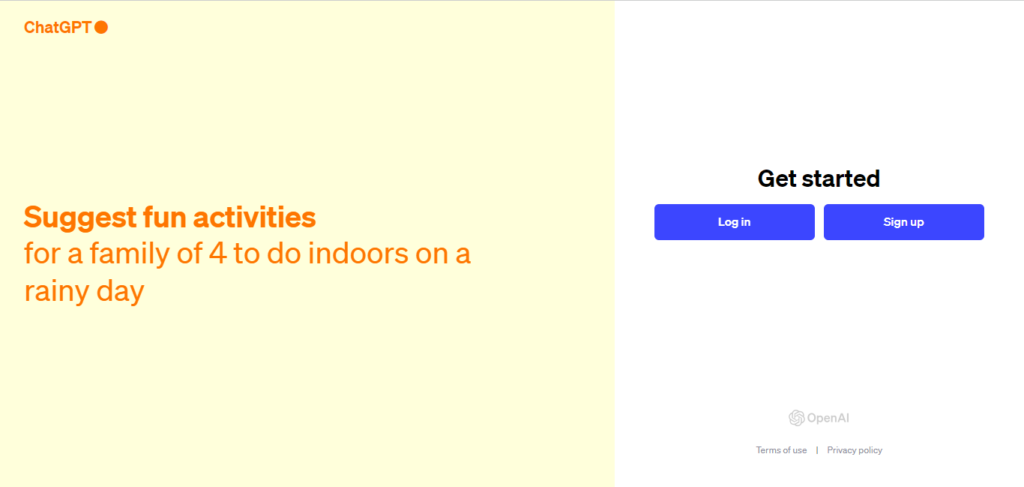
Creating an account
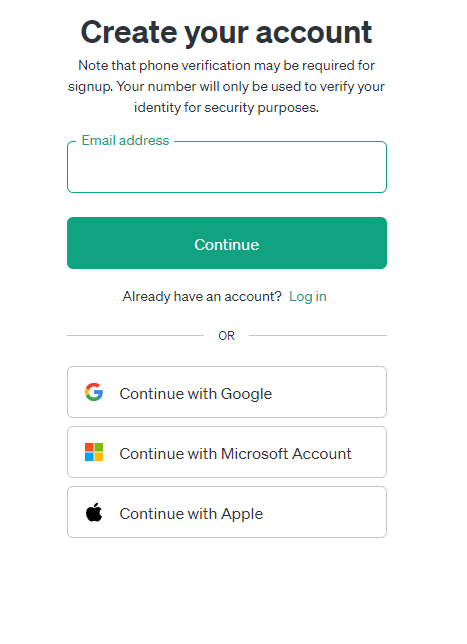
To create an account with ChatGPT, go to the OpenAI website and click the “Sign up” button. You can create an account using your email address, Apple account or a Google or Microsoft account.
Understanding the interface
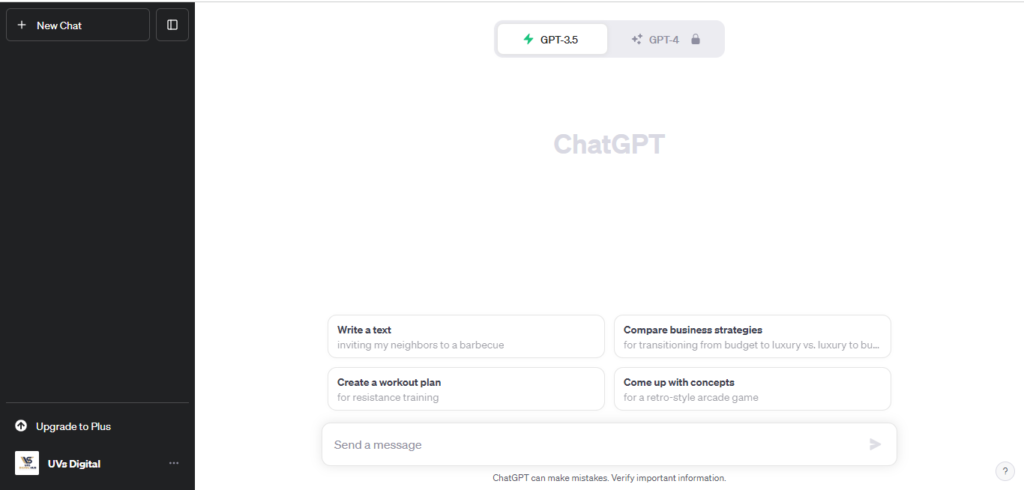
Once you have created an account, you will be redirected to the ChatGPT interface. The ChatGPT interface is simple and easy to use. You will see a text input box at the top of the page. This is where you will type in your prompts and instructions.
Below the text input box, you will see a chat window. This is where ChatGPT will generate responses to your prompts and instructions.
Navigating the different features
ChatGPT has a number of features that you can use to write blog posts. These features include:
- Brainstorming topics: ChatGPT can help you brainstorm topics for your blog posts. To do this, type in a few words or phrases related to your topic, and ChatGPT will generate a list of ideas.
- Generating outlines: ChatGPT can help you generate outlines for your blog posts. This will help you organize your thoughts and ensure your blog post is well-structured.
- Writing sections of your blog post: ChatGPT can help you write different sections, such as the introduction, body paragraphs, and conclusion.
- Editing and polishing your blog post: ChatGPT can help you edit and polish your blog post before you publish it.
Getting started with ChatGPT is easy. Once you have created an account, you can use the different features to write blog posts. ChatGPT can help you save time, improve your writing, and be more creative.
Generating blog post ideas Using ChatGPT
ChatGPT can be used to generate blog post ideas in many ways. One way is to type in a few words or phrases related to your blog niche, and ChatGPT will generate a list of ideas. For example, if you blog about travel, you could type in “travel” or “travel destinations”, and ChatGPT would generate a list of blog post ideas such as:
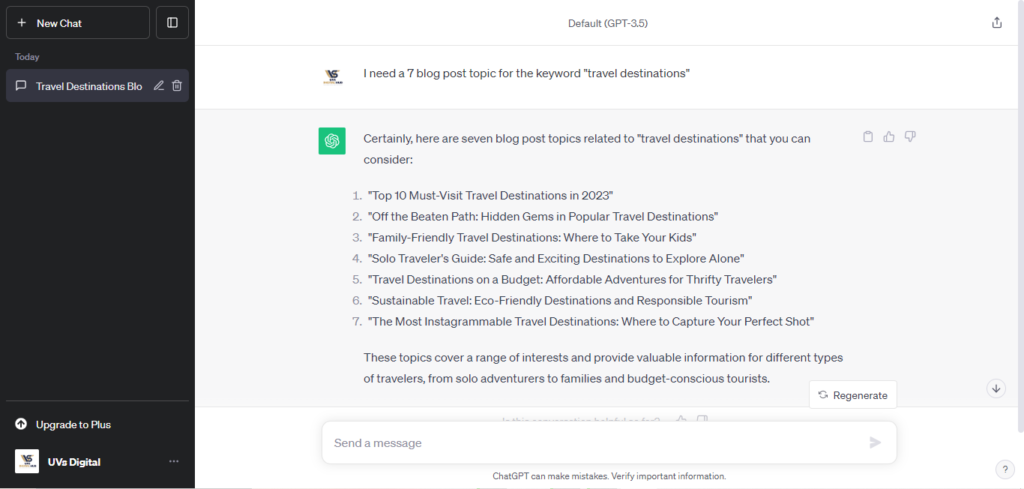
- Top 10 Must-Visit Travel Destinations in 2023
- Off the Beaten Path: Hidden Gems in Popular Travel Destinations
- Family-Friendly Travel Destinations: Where to Take Your Kids
- Solo Traveler’s Guide: Safe and Exciting Destinations to Explore Alone
- Travel Destinations on a Budget: Affordable Adventures for Thrifty Travelers
- Sustainable Travel: Eco-Friendly Destinations and Responsible Tourism
- The Most Instagrammable Travel Destinations: Where to Capture Your Perfect Shot
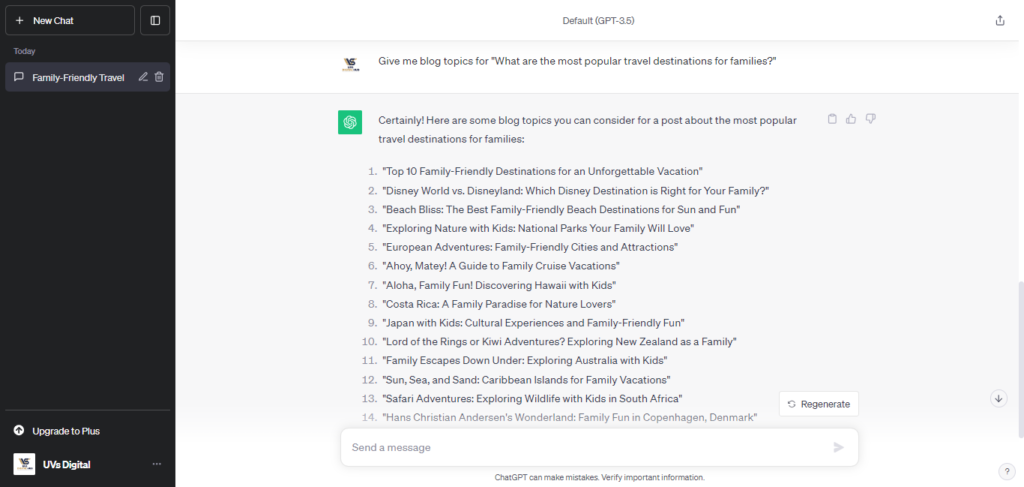
Another way to use ChatGPT to generate blog post ideas is to ask it specific questions. For example, you could ask ChatGPT, “What are the most popular travel destinations for families?” or “What are the best travel hacks for saving money?”
Finding relevant keywords
Once you have a few blog post ideas, you need to find relevant keywords to include in your blog posts. Keywords are the words and phrases that people are likely to use when searching for information on the internet.
ChatGPT can help you find relevant keywords by suggesting keywords related to your blog post topic. To do this, type in your blog post topic into ChatGPT, and it will generate a list of related keywords.
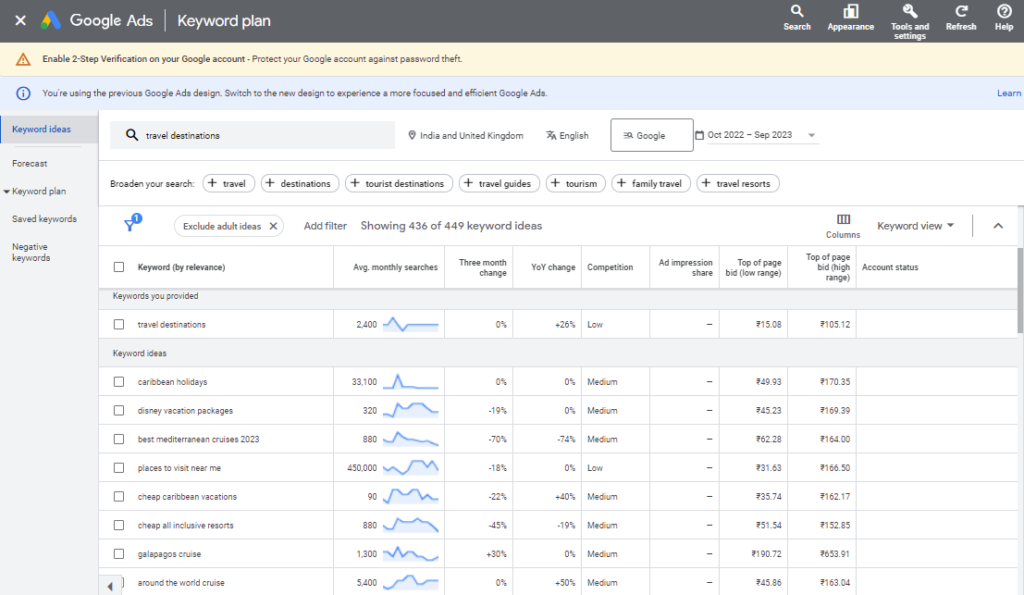
You can also use ChatGPT to find keywords by using Google Keyword Planner. Google Keyword Planner is a free tool that allows you to research keywords and get data on their search volume and competition.
Assessing the competition
Once you have found some relevant keywords, you need to assess the competition for those keywords. This means finding out how many other websites rank for those keywords and how high-quality their content is.
ChatGPT can help you assess the competition by suggesting website ranking for your keywords. To do this, type in your keywords into ChatGPT, and it will generate a list of websites.
You can also use tools such as SEMrush or Ahrefs to assess the competition for your keywords. These tools provide more detailed information on the competition, such as the number of backlinks each website has and the traffic each website gets.
Once you have assessed the competition, you can decide which keywords to target and how to create better content than the competition.
ChatGPT can be a powerful tool for generating blog post ideas, finding relevant keywords, and assessing the competition. Using ChatGPT, you can save time and create high-quality blog posts that will rank well in search engines and attract more traffic to your website.
Creating a blog post outline Using ChatGPT
Once you have generated some blog post ideas and found some relevant keywords, it is time to create an outline for your blog post. An outline will help you to structure your content, organize your ideas, and add subheadings and images.
Structuring your content
The structure of your blog post will depend on the topic and the type of post you are writing. However, most blog posts have a similar structure:
- Introduction: The introduction introduces the topic of your blog post and grabs the reader’s attention.
- Body paragraphs: The body paragraphs are where you develop your topic and provide information to the reader.
- Conclusion: The conclusion summarizes your main points and leaves the reader with something to consider.
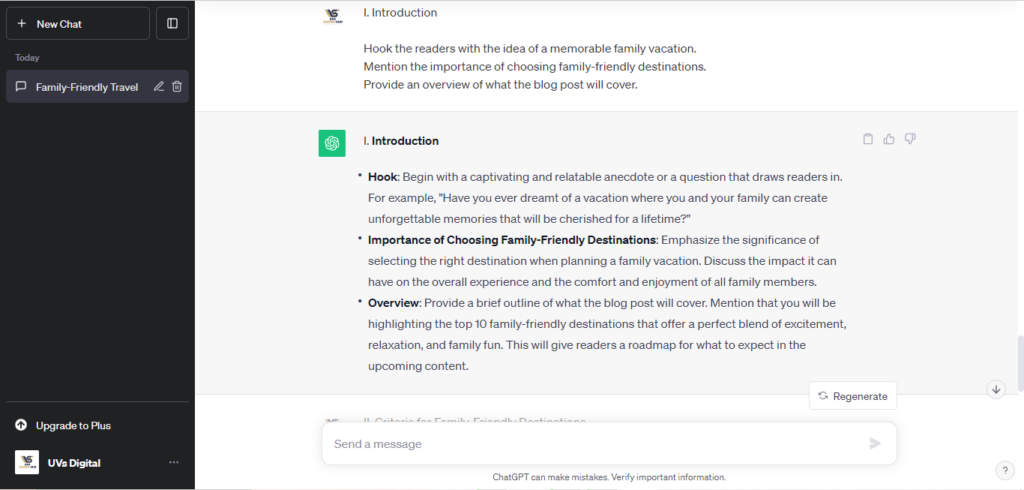
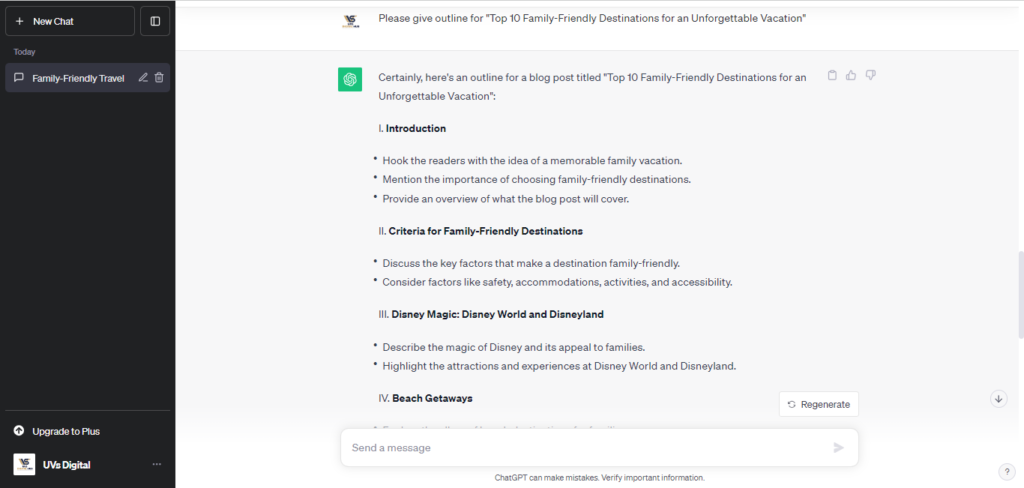
Also, you can ask ChatGPT to give outline by “Please give outline for “Top 10 Family-Friendly Destinations for an Unforgettable Vacation”. From the question we will get proper structure or outline.
Organizing your ideas
Once you have decided on the structure of your blog post, you need to organize your ideas. You can do this by brainstorming a list of all the points you want to make in your blog post. Then, you can group the related points.
Once you have grouped your points, you can start to organize them into a logical order. You can use ChatGPT to help you with this. Type in your list of points, and ChatGPT will suggest a logical order.
Adding subheadings and images
Subheadings and images can make your blog post more readable and engaging. Subheadings break up your text into manageable chunks, and images can help to illustrate your points.
To add subheadings to your blog post, type a subheading after each group of related points in your outline. To add images to your blog post, type in the image URL after the subheading where you want the image to appear.
Here are some additional tips for creating a blog post outline with ChatGPT:
- Be specific: The more specific your outline is, the easier it will be to write your blog post.
- Be flexible: Remember to change your outline as you write. If you find that a different order makes more sense, feel free to change it.
- Use keywords throughout your outline: This will help you to write a blog post that is optimized for search engines.
- Leave room for creativity: Don’t feel you must stick to your outline exactly. If you have an idea that doesn’t fit your outline, go for it!
Creating a blog post outline is an important step in the writing process. By creating an outline, you can ensure that your blog post is well-structured and organized. You can also use ChatGPT to help you with the outlining process.
Writing your blog post with ChatGPT
Once you have created an outline for your blog post, you can start writing it using ChatGPT.
Using ChatGPT to generate different sections of your blog post
To use ChatGPT to generate different sections of your blog post, type in the section heading, and ChatGPT will generate text for you. For example, if you want ChatGPT to generate the introduction for your blog post, type in “Introduction”, and ChatGPT will generate an introduction.
You can also use ChatGPT to generate specific types of content, such as lists, bulleted points, and code snippets. To do this, type in the content you want to generate, and ChatGPT will generate it.
There is another trick is to get a description from ChatGPT by Copy and Pasting the outline as shown in the image below
Editing and polishing the AI-generated content
Once ChatGPT has generated the content for your blog post, you need to edit and polish it. This is important because ChatGPT is still a machine, and it may only sometimes generate perfect content.
When editing and polishing the AI-generated content, pay attention to the following things:
- Grammar and spelling: Check for grammar and spelling errors.
- Clarity and conciseness: Make sure that the writing is clear and concise.
- Accuracy: Make sure that the information is accurate.
- Voice and style: Add your voice and style to the writing.
Adding your voice and style
It is important to add your voice and style to the AI-generated content. This will help to make your blog post more unique and engaging.
To add your voice and style, you can:
- Use your own words and phrases: Avoid using the exact words and phrases that ChatGPT generated.
- Add your own experiences and opinions: Share your experiences and opinions on the topic.
- Use humour and storytelling: Use humour and storytelling to make your blog post more engaging.
ChatGPT can be a powerful tool for writing blog posts. However, it is important to remember that ChatGPT is still a machine, and it may only sometimes generate perfect content. It is important to edit and polish the AI-generated content and to add your voice and style.
Publishing your blog post
Once you have written your blog post and added your voice and style, it is time to publish it.
To publish your blog post, you need to upload it to your blog or website. The specific steps involved in doing this will vary depending on the platform you are using. However, most platforms have a simple process for uploading blog posts.
Formatting your blog post
Before you publish your blog post, you need to format it properly. This includes things like adding headings, subheadings, images, and links.
You can use ChatGPT to help you with the formatting process. Type in the instructions for the formatting you want to apply, and ChatGPT will apply it to the text.
Adding SEO elements
SEO stands for search engine optimization. It optimises your blog post to rank higher in search engine results pages (SERPs).
There are some SEO elements that you can add to your blog post to improve its ranking in SERPs. These elements include:
- Title tag: The title tag is the text that appears in the SERPs. It should be clear and concise and accurately reflect the topic of your blog post.
- Meta description: The meta description is the text that appears below the title tag in the SERPs. It should summarise your blog post and encourage people to click on it.
- Keywords: Keywords are the words and phrases that people are likely to use when searching for information on the internet. You should include relevant keywords throughout your blog post, especially in the title tag, meta description, and headings.
You can use ChatGPT to help you with the SEO process. Type in the SEO elements you want to add, and ChatGPT will add them to your blog post.
Promoting your blog post on social media
Once you have published your blog post, you should promote it on social media. This will help to get more people to read your blog post.
To promote your blog post on social media, you can:
- Share a link to your blog post on your social media channels.
- Please write a summary of your blog post and share it on social media.
- Use relevant hashtags to reach a wider audience.
- Tag other people who might be interested in your blog post.
You can also use ChatGPT to help you promote your blog post on social media. Type in a request to generate social media posts for your blog post, and ChatGPT will generate them.
By following these tips, you can publish and promote your blog post effectively.
Conclusion
Recap of the key points
- ChatGPT is a powerful tool that can be used to write blog posts quickly and easily.
- ChatGPT can help you with everything from generating ideas to writing the final draft.
- Here are some tips for using ChatGPT to write blog posts effectively:
- Be specific in your instructions.
- Use keywords in your instructions.
- Edit and polish the AI-generated content.
- Add your voice and style.
Tips for using ChatGPT to write blog posts effectively
- Be specific in your instructions. ChatGPT is more likely to generate good results if you give specific instructions. For example, instead of saying, “Write an introduction to my blog post,” say, “Write an introduction to my blog post about the benefits of using ChatGPT to write blog posts.”
- Use keywords in your instructions. ChatGPT can also be used to generate optimised content for search engines. To do this, include relevant keywords in your instructions. For example, you could say, “Write an introduction to my blog post about the benefits of using ChatGPT to write blog posts, including the keywords ‘ChatGPT,’ ‘blog posts,’ and ‘content creation.'”
- Edit and polish the AI-generated content. ChatGPT is a powerful tool, but it is important to remember that it is still a machine. The AI-generated content may need to be edited and polished before publication.
- Add your voice and style. It is important to add your voice and style to the AI-generated content. This will help to make your blog post more unique and engaging.
Resources for learning more about ChatGPT
- OpenAI ChatGPT documentation: https://apitracker.io/a/chatgpt